Blender: Fixing meshes disappearing when zooming out
In Blender, objects may disappear when you are far enough away from them. This is due to the camera moving outside of the clipping distance. By default, Blender renders things between 1cm to 1000m.
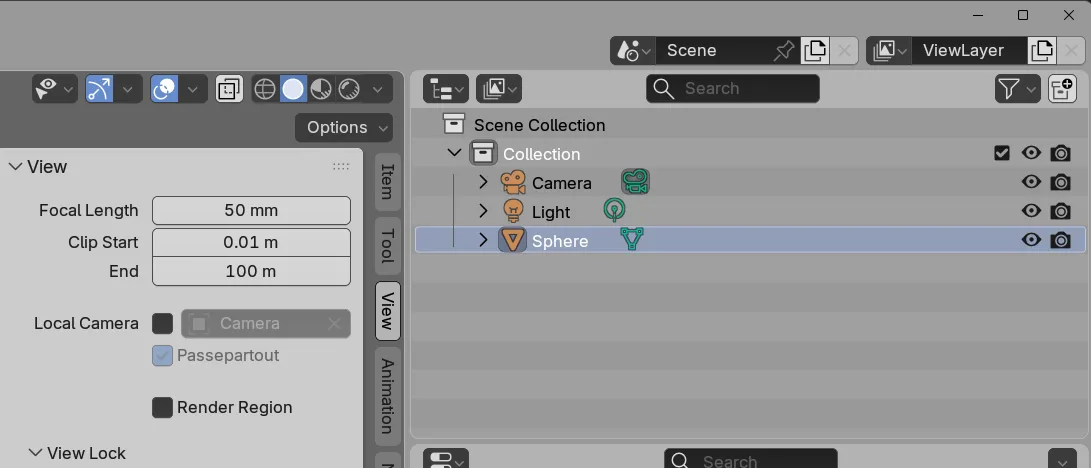
Access the clipping settings by pressing N then opening the “View” panel as shown below.
Adjust the “Clip Start” and “End” values as needed.