Orientating Blender sockets for exporting to Unreal Engine
This post explains how to correctly orientate empty socket objects in Blender for use in Unreal Engine. In Unreal, mesh sockets are named empty objects with a transform. They are useful for attaching objects or spawning things relative to a mesh e.g., spawning bullets from a “muzzle” socket on a gun mesh.
They are created in Blender by attaching empty objects with the name Socket_<name> to a mesh object.
I recently had difficulty orientating the sockets correctly. Blender and Unreal do not share the same notions of forward as shown below.
| Orientation | Blender Axis | Unreal Axis |
|---|---|---|
| Forward | -Y | +X |
| Upwards | Z | Z |
Adding to the confusion, empty objects use +Z as their forward axis. Fig 1. shows the right arrow component pointing in its +Z direction:
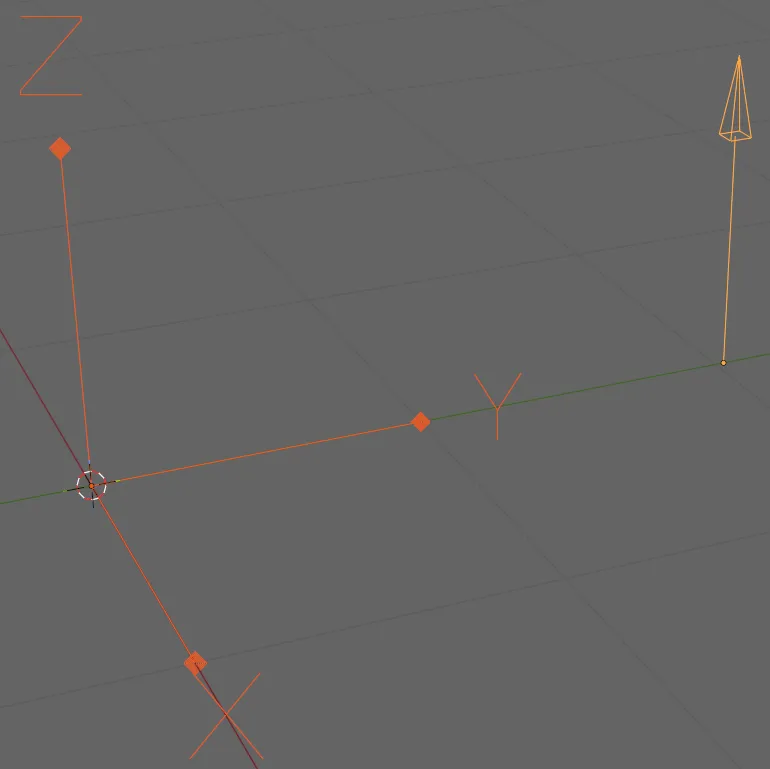
To work with Unreal, you must orientate the empty object using the +X axis as forward and then rotate it by 90° in the +Y axis. I’m not entirely sure why the 90° +Y axis rotation is needed. Within my meshes, I perform the +X orientation in the editor and apply the 90° rotation while exporting.
My alignment tool’s panel is shown in Fig 2.:
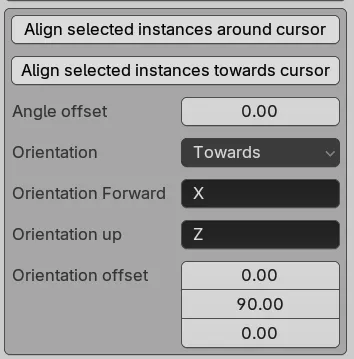
I delay applying the 90° rotation because only empties require it and I want to avoid constantly changing the orientation offset between 0° and 90°.
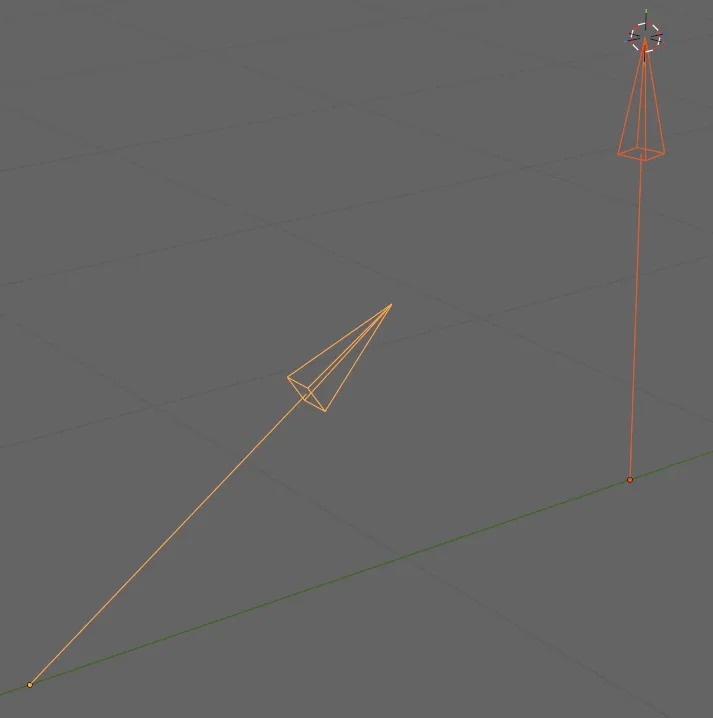
Fig 3. shows two unaligned empty components:
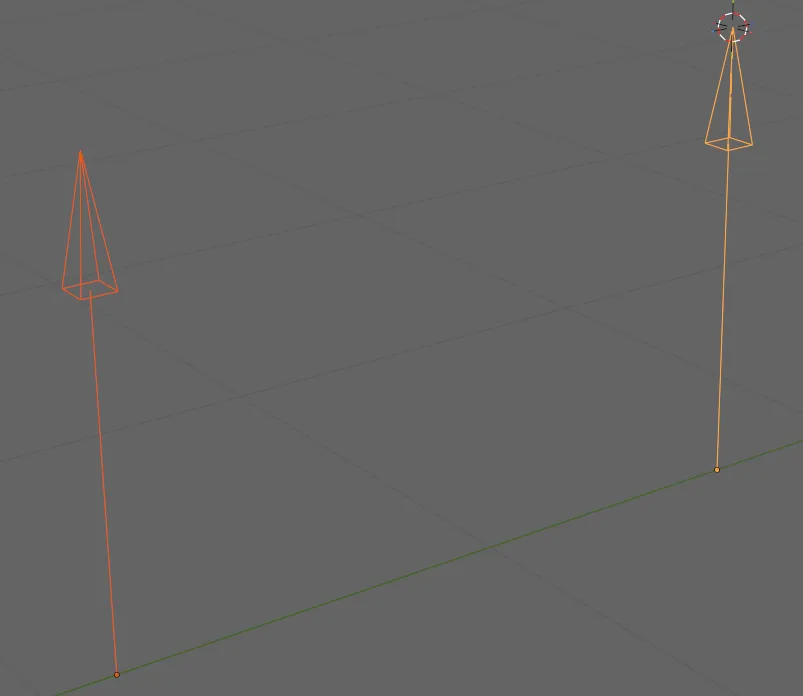
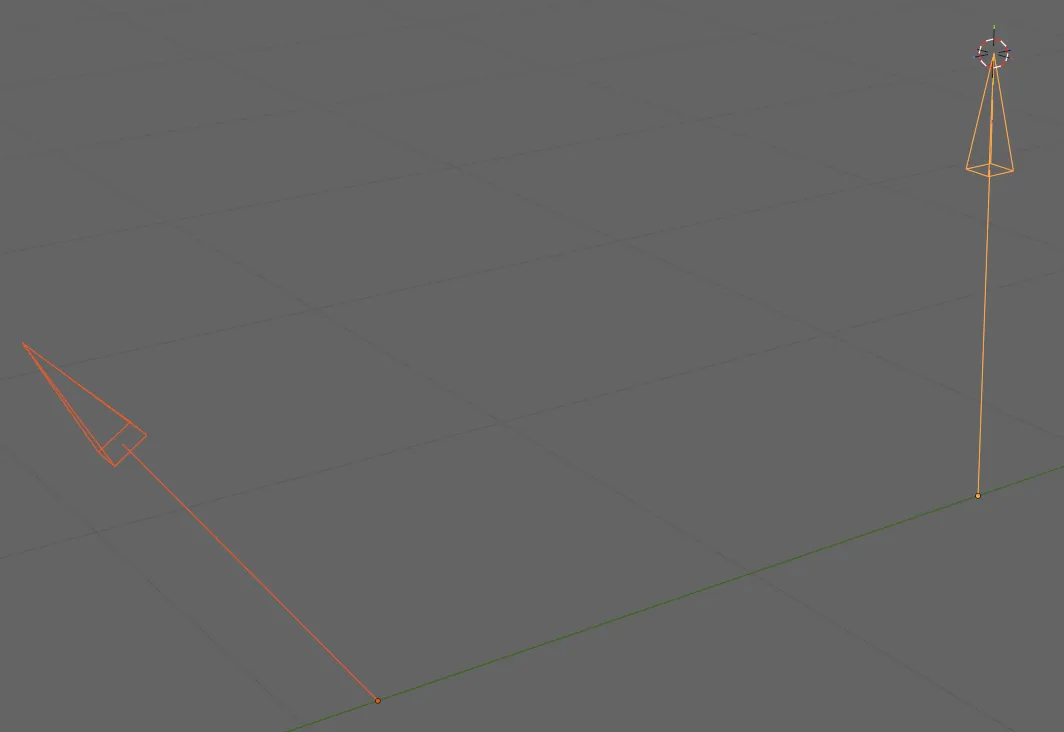
Fig 4. shows the left empty aligned towards the circular cursor with forward=+X and up=+Z:
Finally, Fig 5. shows the effect of the added 90° +Y axis offset.
My Blender functions can be found here:
The orientation function uses Vector.to_track_quat:
def orientate_towards(obj:bpy.types.Object,
                      direction:Vector,
                      orientation: tuple[str, str]=("X", "Z"),
                      offset:Vector = Vector()
                      ) -> None:
    rot = direction.to_track_quat(*orientation)
    obj.rotation_euler = rot.to_euler()

    offset = Vector(math.radians(d) for d in offset)
    obj.rotation_euler.x += offset.x
    obj.rotation_euler.y += offset.y
    obj.rotation_euler.z += offset.z
The export function adds the rotations to temporary copies of the sockets. I also scale them to 1% of their original size as Unreal’s scale differences make default sized sockets come out massive.
for obj in (o for o in self.export_objects if o.type == "EMPTY"):
    obj.scale = (0.01, 0.01, 0.01)

    if self.props.unreal_mode:
        obj.rotation_euler.y += math.radians(90)